
Augmented Reality opens up new possibilities for connecting digital content directly with real-world locations and objects. These possibilities are now available in espoto as well.
With our new AR feature, you can display digital content in the real environment through a smartphone camera and integrate it directly into your games.
A 3D object suddenly appears in a public square. A poster becomes the trigger for a digital element. A text message floats in the air. Or your players first have to find a specific image before a spot is unlocked.
This means Augmented Reality in espoto is not just a visual effect, but can become an integral part of the gameplay.
What can you do with espoto AR?
In the past, Augmented Reality in espoto was provided through a third-party solution. We have now integrated the technology directly into our own platform. This has one major advantage: unlike before, using AR no longer comes with any additional costs.
In our Online Editor, AR is now managed through so-called AR Scenes. An AR Scene bundles one or more digital elements and can then be linked to a spot.
espoto supports different types of AR content:
- Images
- Videos
- Color overlays
- 3D text
- 3D models
Multiple elements can also be combined within a single scene. For example, you can display a 3D object together with an explanatory 3D text element.
This is what makes AR particularly interesting for game designers: the technology does not have to stand on its own. Instead, it can be used exactly where it adds value to a story, puzzle, or special moment within the game.
Real-world objects become part of the game
One particularly exciting option is the use of so-called trigger images.
The smartphone camera recognizes a specific image or visual element in the real environment. This could be a poster, an illustration, a sticker, or another clearly recognizable image.
As soon as the app recognizes the image, the associated digital content appears directly on it.
This makes it possible to integrate real-world objects and locations much more closely into the gameplay.
An ordinary-looking image can suddenly play a video. A clue may only become visible once players have found the correct object. Or a graphic element may transform virtually right in front of the participants.
For digital scavenger hunts and escape games, this creates an additional layer between the real and digital worlds.
Place 3D objects freely in the environment
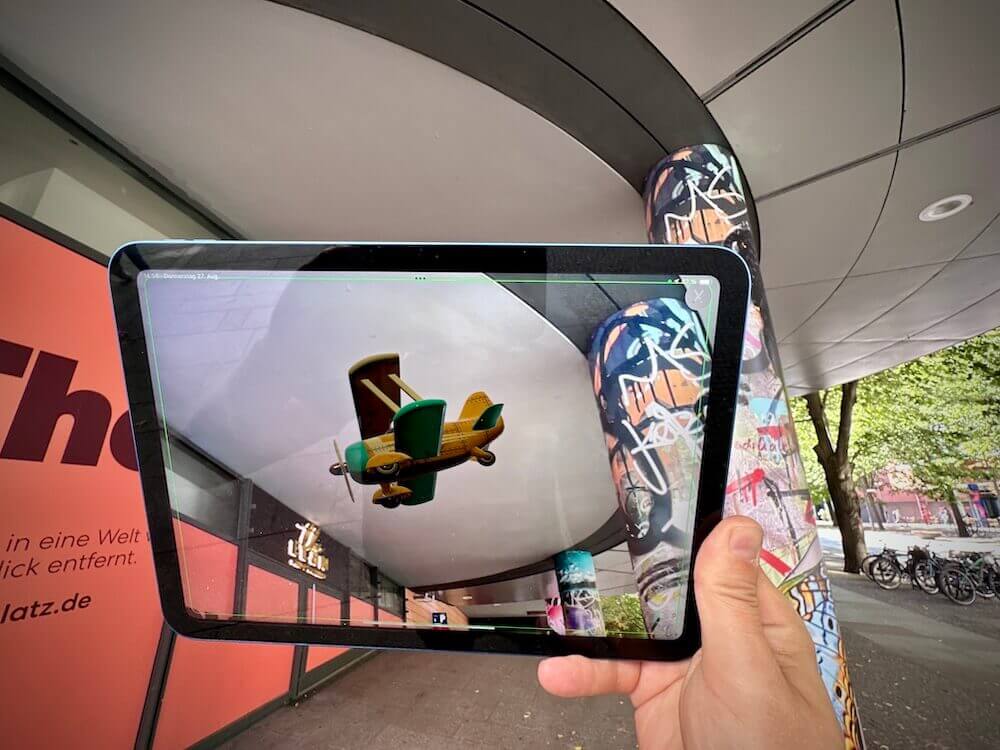
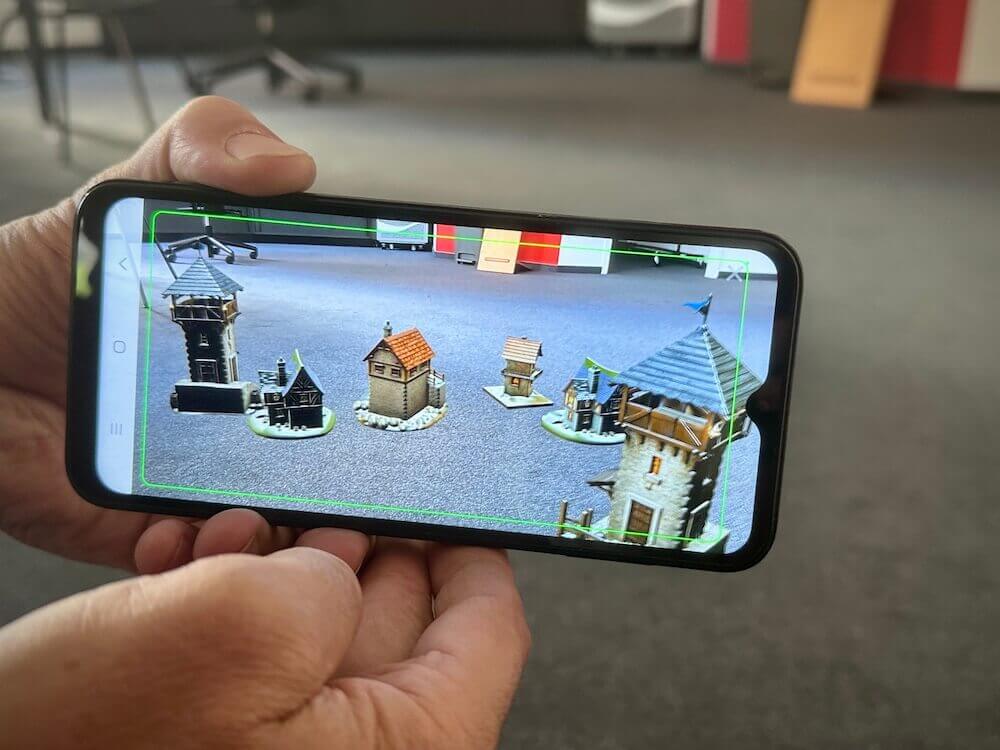
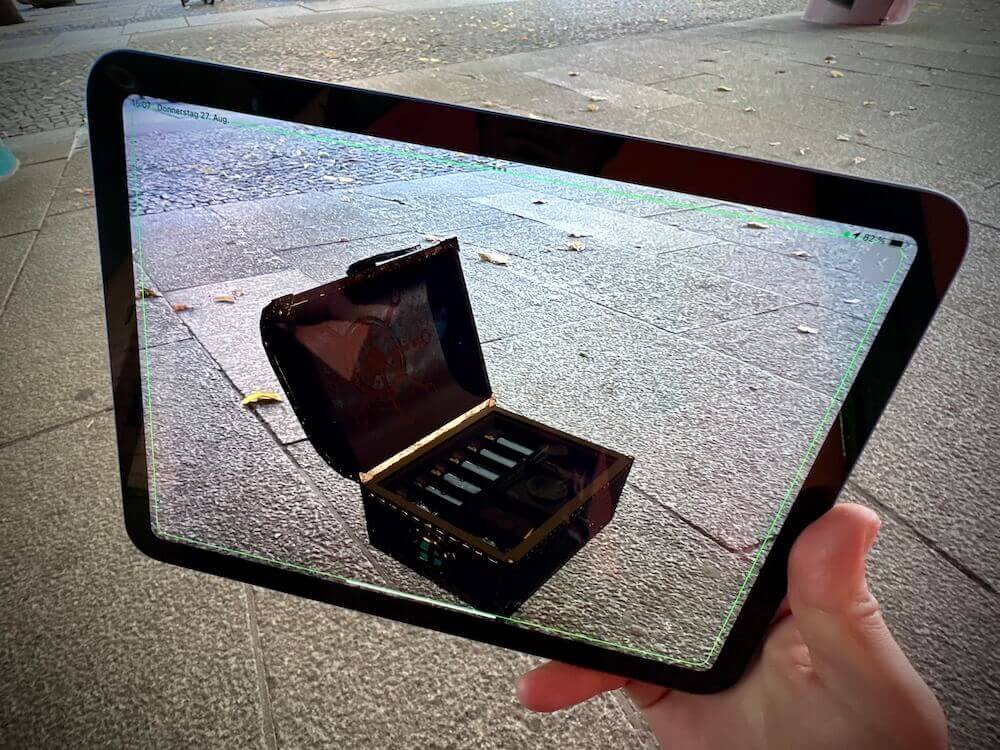
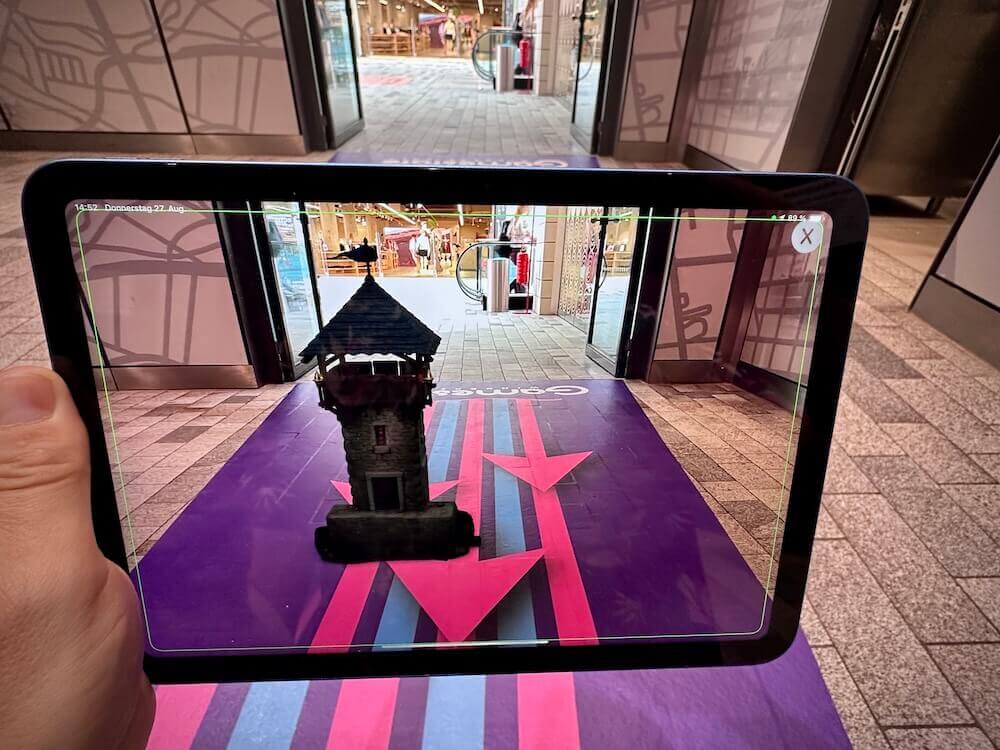
3D text and 3D models do not necessarily have to be linked to a trigger image.
They can also be placed freely in the environment, for example:
- on the ground,
- on a table,
- on a wall,
- or floating freely in the air.
This makes it possible to integrate completely virtual objects into real-world gameplay.
A public square can suddenly become the location of a virtual artifact. A historical character could appear in front of a building. Or a digital object could become part of a team challenge inside an event venue.
Especially in story-driven games, this creates new ways to make content visible that does not actually exist in the real environment.
AR is more than decoration – it is a game mechanic
When developing the feature, it was important to us that Augmented Reality should not simply function as an additional visual effect.
That is why AR can be integrated directly into the gameplay in espoto.
An AR Scene can generally be used in two different ways:
A) AR as a check-in
Instead of entering a spot via GPS or QR code, players can be asked to search for a specific AR element.
The check-in is completed only when the camera recognizes the relevant image or scene.
For example, you could create a task such as:
“Find the coat of arms on the building and point your camera at it.”
This turns the real-world location itself into the gateway to the next part of the game.
B) AR as a task
Alternatively, an AR Scene can be used as a dedicated task type.
As soon as the app recognizes or places the corresponding content, the task is considered completed. Points can be awarded through the spot as usual.
This opens up completely new possibilities for puzzles and discovery-based tasks.
Use your own 3D models
For individually designed games, the ability to use your own 3D models is particularly interesting.
When creating a scene, you can upload a model in GLB format, for example. Since Android and iOS use different formats for 3D content, the espoto CMS automatically generates the required USDZ version for iPhones and iPads from the uploaded GLB file.
The CMS preview also allows you to check the size and rotation of a model while setting up the scene.
This makes it possible to integrate your own characters, objects, products, or 3D models created specifically for a particular game.
Ideas for using Augmented Reality
The possibilities depend heavily on the individual game concept. We see particularly interesting use cases for AR in the following areas.
A) Digital scavenger hunts
Players discover virtual content at real-world locations.
A building could contain a hidden clue, for example, or players may first have to find a specific image before the next task becomes visible.
B) Escape games
AR can reveal clues that do not exist in the physical environment.
A symbol may only appear through the camera, an object can gain an additional digital layer, or a 3D object may contain the crucial clue needed to solve the next puzzle.
C) Team events
Virtual objects can become part of a challenge in team-based games.
Teams might have to work together to find a particular trigger or discover a virtual object at a specific location.
D) Tourism and city tours
AR content can create additional layers of information, especially at historical locations.
Possible applications include virtual historical objects, additional information, or characters that appear at a specific location.
E) Museums and education
Exhibits and learning environments can be enhanced with digital content.
An object can be supplemented with a video, a 3D model can help illustrate complex relationships, or a specific image can become the starting point for a task.
Multilingual AR experiences are also possible
AR can also be used within multilingual games.
If a scene contains text or labelled images, you can assign a separate scene to each language. This makes it possible to provide different German and English versions, for example.
This also makes the feature suitable for international events, tourism applications, and multilingual educational experiences.
What happens on devices without AR support?
Augmented Reality runs within the espoto app on Android and iOS. The browser-based version of the games does not currently support AR.
At the same time, a device without AR support should never cause participants to get stuck in the game.
On devices that do not technically support AR, the app therefore provides an alternative way to complete the step. The corresponding part of the game can still be completed – only the actual AR experience is skipped.
Use AR selectively rather than everywhere
With a new feature, it can be tempting to equip as many spots as possible with AR.
In our view, however, AR works particularly well when it is used selectively to create a special moment in the game.
An unexpected 3D object can become a real highlight. But if every second spot starts by opening the camera, the effect can quickly lose its impact.
AR is therefore especially well suited to moments where the connection between the real environment and digital content creates genuine added value for the story, puzzle, or overall player experience.
Try AR in espoto now
The new AR Scenes are managed directly in the espoto CMS and can then be linked to the desired spots.
As the feature is not automatically activated for every account, please contact your espoto representative if you would like to enable Augmented Reality for your account.
Would you like to know how to create your first AR Scene?
Our support section already contains detailed step-by-step guides on setting up AR Scenes, trigger images, 3D models, and using AR as a check-in or task.