
We are delighted to herald the Christmas season with a final major update of our espoto Online Editor and at the same time to say goodbye to this year with a powerful boost of new features.
The update brings numerous optimizations and a return of popular features from our old content management system. The goal of the release: even faster, more intuitive and more efficient work for all of our users.
Below you will find an overview of all the highlights. And if you prefer to watch rather than read, check out our video summary now.
1. Improvements in the "Teams widget"
Direct display of the player account
From now on, the corresponding player account will be displayed alongside the team name. This allows you to immediately see which team is using which device or account – ideal for event support and troubleshooting.
Simplified meta information
The metadata is now more clearly structured and only contains the most important technical information. This includes:
- Platform used
- App version
- Visibility in high scores yes or no
- First and last check-in
- And much more
You can report any desired but missing information to us at any time.
Meta information for all teams with just one click
A new icon in the Teams widget allows you to view all meta information for the teams across all rows of the table. Perfect for quick team checks and large city rally events.
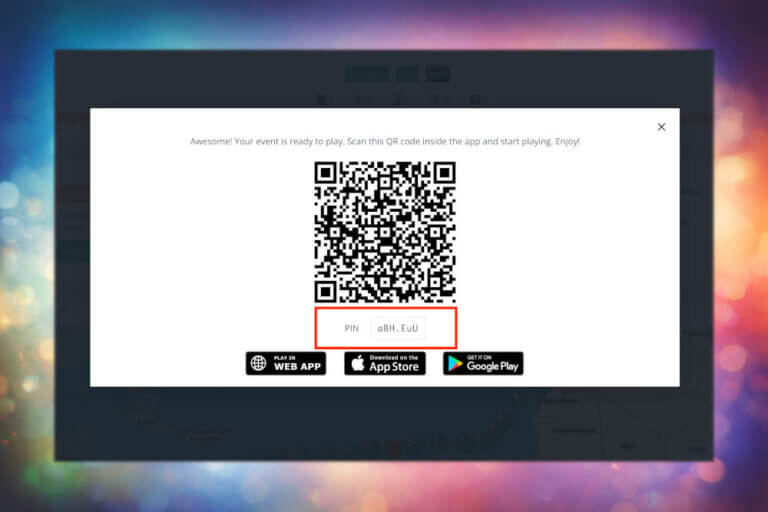
QR code widget directly integrated
2. Enhancements in the “User Interaction Widget"
Filter by task types
Advanced statistics
The event statistics feature, which was popular in the old backend, is back and has even been expanded. You can now find it in the widget for user interactions with the following data:
- Completed and failed tasks for a team
- Tasks still open for a team
- Kilometers run per team (only in Professional Mode)
The display is based on the familiar high score structure from our previous content management system.
3. Tasks overview back in the new online editor
Many long-time users have missed it. Now it’s available again. You can now find the quest overview of all tasks and info spots in the “Tabspot Widget”.
There, you can view your tasks and info spots again in a large overview with more information and edit them directly.
This makes event and content management in the espoto Online Editor much more efficient.
4. New "Event Status Widget"
5. Revised menu & dashboard editor
The dashboard menu now remains visible when scrolling and closes automatically as soon as you leave the menu area. This ensures an even more intuitive and fluid workflow.
If you want to customize your dashboard to suit your game concept, you can configure the order and visibility of your widgets individually as usual. In addition, we have significantly optimized the entire process of moving, sorting and adding plugins.
For event managers in particular, this means noticeable time savings in their daily work.
6. Add event manager/operator
7. Check-in radius can be turned on and off
Conclusion: A powerful update for event managers, outdoor gaming providers and creators
The December update of the espoto Online Editor brings a host of improvements that provide greater clarity, speed and user-friendliness.
Whether in support, event planning, or analysis, all users will benefit from the new features.
We hope you enjoy the new possibilities and, as always, we look forward to your feedback!